
For clinicians
Spread the word about QGenome to improve referral quality and reduce time on rejected or incomplete cases.
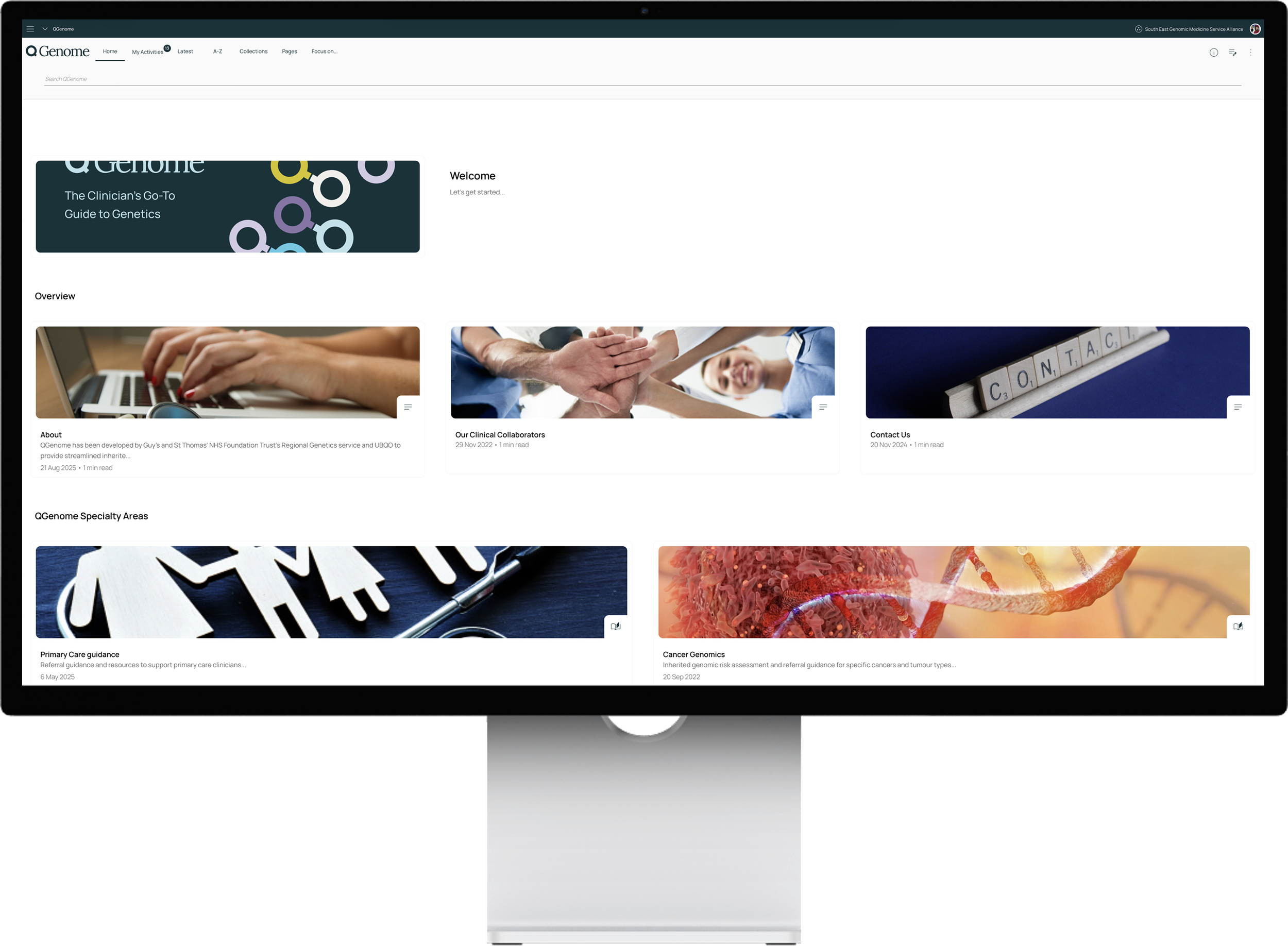
Your service has adopted QGenome to help improve the quality of referrals and reduce the time your team spends on rejected or incomplete cases. QGenome is a digital tool that helps busy referring clinicians apply genomic referral, risk-assessment, and testing guidance; it walks them through guidance in minutes and produces a concise report that can be attached to a referral.
The benefits of QGenome can be felt across the whole service:
Fewer rejected or incomplete referrals — risk assessment happens before the letter is sent.
Faster, more consistent triage — every referral arrives in a standard structure.
A clearer conversation with referrers — when a referral is returned, the team can point to a specific tool rather than to a long PDF of criteria.
Better patient experience — patients reach the right service first time, whether that is tertiary genetics or a secondary care family history clinic.
But QGenome only works if referring clinicians are using it — and right now, not all of them are.
Here are four things you can do today to spread the word.
How to access QGenome
QGenome is delivered through Clinibee, a clinical content platform. Once your service has a subscription in place, you can access the full QGenome library for free on any device with your work email address.
Add the QGenome banner to your email signature
Every email you send to a referrer is an opportunity for them to see QGenome — even if the email has nothing to do with referrals.
Add the QGenome banner to your signature so the reminder is always there. Seeing it a few times in your email signature will help referring clinicians become familiar with the name and remember it.
You can simply click on the QGenome email banner below to save it and add it to your email signature or download it here. Hyperlink the image to to www.qgenome.co.uk so clinicians can go directly to QGenome when they click on it.
Add the banner to your signature (EXAMPLE)
Dr Jane Example
Consultant Clinical Geneticist | [Hospital Name]
[Phone] | [NHS.net email]
— — —
Before referring, use QGenome to check eligibility in minutes: www.qgenome.co.uk

Click on the email banner to save it and add it to your signature. Don’t forget to hyperlink it to www.qgenome.co.uk.
Mention QGenome in replies to referral letters
Every reply you send to a referrer — whether discharging, rejecting, or requesting more information — is an opportunity to point them to QGenome so the next referral arrives in better shape.
Four standardised templates are available below. Each templated message states the outcome and reasoning clearly, and directs the referrer to QGenome.
-
When to use: Patient discharged because requested family-history information was never returned.
QGenome message: 'If new information emerges, use QGenome to determine referral eligibility before resubmitting.'
Example text (you can copy into your email):
Thank you for referring your patient to the Genetics Service at [Hospital Name].We have requested the collection of further family history information from the patient but unfortunately this has not been returned. We are therefore unable to complete the risk assessment process at the present time.
If there is other information that may impact this assessment in the future, please utilise our app QGenome to determine referral eligibility (www.qgenome.co.uk). If you would like to resubmit this referral, please ensure a completed Family History Questionnaire (FHQ) is included (this can be found on our website: [URL]) with a QGenome report, where appropriate. If a completed FHQ is not included with any resubmitted referral, the referral will likely be rejected again.
Subsequently, we would be pleased to receive a new referral via e-mail to:
[Email address for referrals]
We will take no further action in this regard unless we hear from you again and are discharging the patient back to your care.
Download template -
When to use: Family history received, reviewed, and found not to meet criteria.
QGenome message: 'If clinical information changes, use QGenome to reassess — no need to re-contact the service if the patient is no longer eligible.'
Example text (you can copy into your email):
Thank you for referring your patient to the Genetics Service at [Hospital Name].It was helpful to receive the family history information which we have now assessed.
By far the majority of cancers occur by chance rather than because of an inherited factor being passed down through the family. Since cancer is a common disease in today's population, with more than 1 out of every 2 people developing some kind of cancer by the age of 80, it is not surprising that some families have several members affected by cancer. In order to determine the likelihood that a particular family history has been caused by an inherited predisposition, we look at the number of people in the family who have developed cancer, the types of cancers they have developed, and the ages at which they have developed these cancers. In general, the more people in a family who have developed specific types of cancers, the more closely related they are to each other, and the younger the age at which they developed cancer, the more likely it becomes that the cancers have been due to an inherited factor.
Based on the information provided, we cannot see a significant pattern to the reported cancers that would raise the likelihood of an underlying inherited susceptibility. We note, however, that details of some cancer types in relatives remain unclear and this does limit our assessment slightly.
For now, an appointment with clinical genetics is unlikely to inform the risk assessment further and the family history does not meet the current NHSE genomic test directory guidelines for testing eligibility (https://www.england.nhs.uk/publication/national-genomic-test-directories/).
If there is other information that may impact this assessment in the future, please utilise our app QGenome to determine referral eligibility (www.qgenome.co.uk). If you would like to resubmit this referral, please ensure a completed Family History Questionnaire (FHQ) is included (this can be found on our website: [URL]) with a QGenome report, where appropriate. If a completed FHQ is not included with any resubmitted referral, the referral will likely be rejected again.
Subsequently, we would be pleased to receive a new referral via e-mail to:
[Email address for referrals]
-
When to use: Referral does not meet tertiary criteria; patient belongs in a local family history clinic.
QGenome message: 'Use QGenome to confirm eligibility and then refer the patient to the local Family History Clinic instead.'
Example text (you can copy into your email):Thank you for referring your patient to the Clinical Genetics Service at [Hospital Name].
Unfortunately, we are unable to offer your patient an appointment because the referral criteria for an assessment in tertiary care has not been met.
Please kindly refer the patient to your local Family History Clinic at one of these providers:
[Secondary Care Hospital Name]
[Secondary Care Hospital Name]
[Secondary Care Hospital Name]
Please utilise our app QGenome to determine referral eligibility (www.qgenome.co.uk) and, if appropriate, please kindly refer your patient to your local Family History Clinic for an assessment.
The team there will arrange to see your patient in order to take a full family history. If the family history of cancer warrants a referral to the Genetics Service subsequently, then the local team will be able to make the necessary referral at that time.
We will take no further action in this regard unless we hear from you again.
-
When to use: Referral does not meet criteria or lacks enough information to triage (SL1 rejections).
QGenome message: 'Re-submit with a completed FHQ and a QGenome report; without these, the referral is likely to be rejected again.'
Example text (you can copy into your email):
Thank you for referring your patient to the Genetics Service at [Hospital Name].Unfortunately, we are unable to offer your patient an appointment because the referral is not suitable for our service. [Insert comment from EPIC]
[FOR SL1 REJECTIONS] This referral has been rejected as there is insufficient family history information to enable triaging. Please utilise our app QGenome to determine referral eligibility (www.qgenome.co.uk). If you would like to resubmit this referral, please ensure a completed Family History Questionnaire (FHQ) is included (this can be found on our website: [URL]) with a QGenome report, where appropriate. If a completed FHQ is not included with any resubmitted referral, the referral will likely be rejected again.
The current NHSE genomic test directory guidelines for testing eligibility (https://www.england.nhs.uk/publication/national-genomic-test-directories/) have not been met with regard to this referral and we are, therefore, unable to accept it at present. We will, therefore, not be arranging to see your patient and will take no further action in this regard.
Subsequently, we would be pleased to receive a new referral via e-mail to:
[Email address for referrals]
We will take no further action in this regard unless we hear from you again.
Mention QGenome when you call a referrer
If you're calling a referrer to request more information or explain a rejection, it's a natural moment to mention QGenome. Let them know that using QGenome to navigate the referral process could help avoid the same issue next time — and that it only takes a couple of minutes.
Mention QGenome in the MDT
If you attend MDTs, use the wrap-up to remind referring teams about QGenome. A brief mention in a meeting they're already in is one of the most direct ways to reach clinicians who regularly refer into your service.
Proactively share information / resources with clinicians who refer into your service
Here are some resources that you can proactively share with clinicians who refer into your service to let them know about QGenome and the benefits of using it for the whole service.